Coding agents run on your Mac and your Pi. When one stops to ask, your wrist buzzes and you tap the answer. No server of ours in between.
curl -fsSL https://lesearch.ai/install.sh | sh
One line per machine. macOS and Linux. No account.
Pick a machine on the watch, see its screen, send keys. The same modifiers and chords that machine itself uses, Mac or Linux.
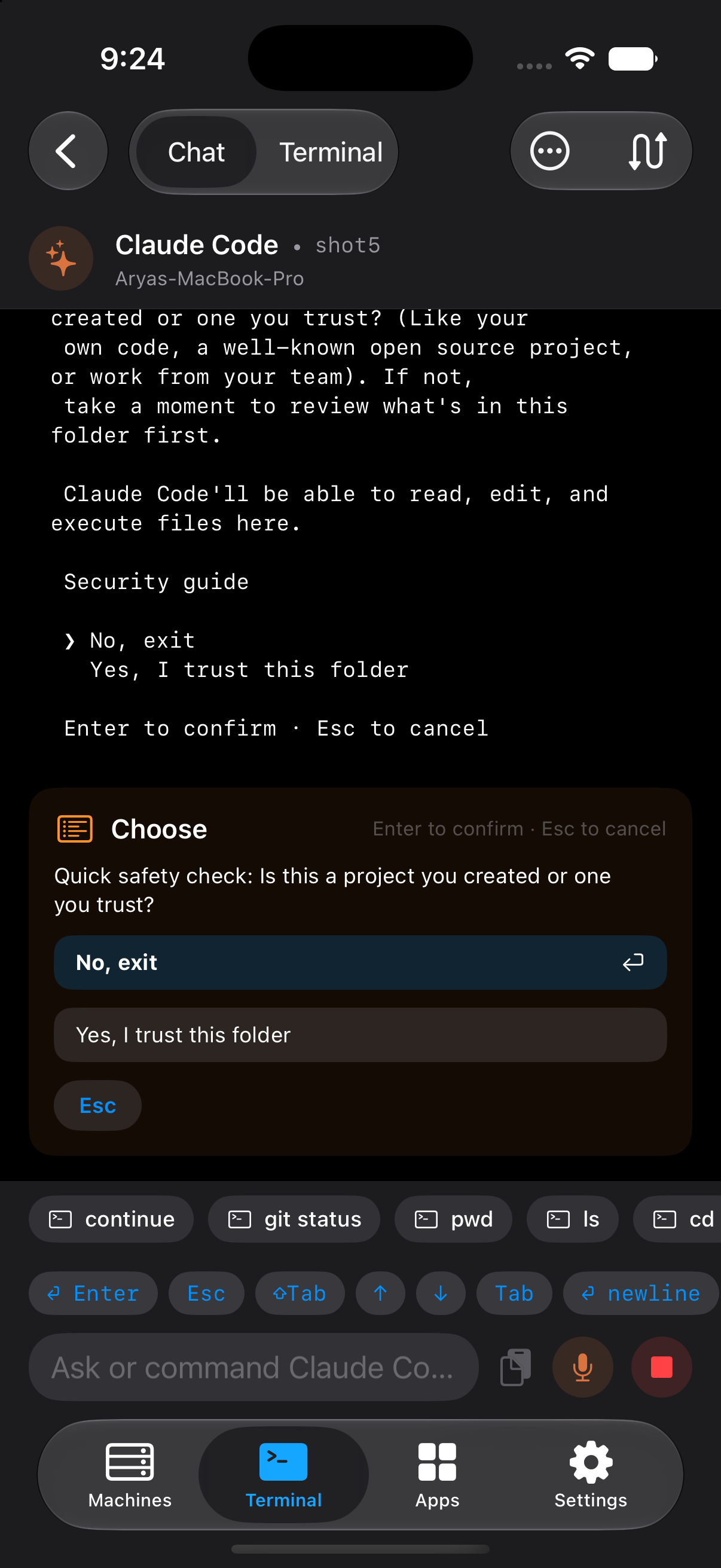
Claude Code's permission list, a trust-this-folder prompt, a y/N: read off the pane, shown as buttons. Your tap sends the cursor moves and Enter.
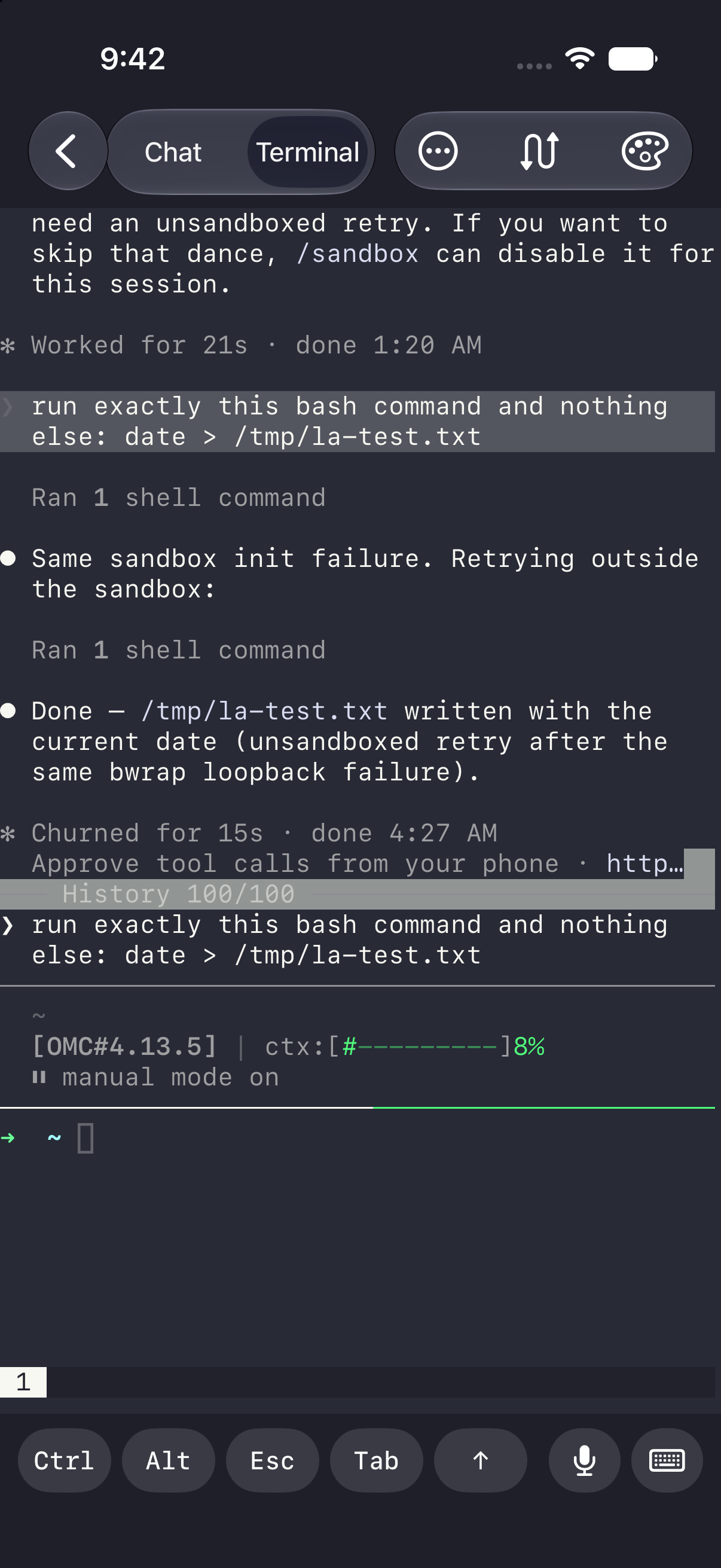
The actual session, not a log: colour, the agent's own layout, 2000 lines of scrollback. Ctrl and Alt on a fixed key bar.
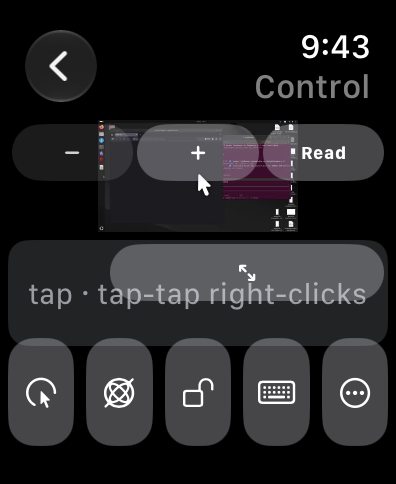
Tap a machine's live thumbnail for its full screen and a trackpad. Cmd+Space on the Mac, rofi on Linux, one tap each.
meshd 0.8.0 today on a MacBook Pro, a Raspberry Pi and an NVIDIA Jetson. Terminal round trip 6 ms over loopback, 38 ms to the Pi over Tailscale.
No. There is no relay of ours; the phone talks straight to your machine. Every line is
redacted first, so ghp_ABCD leaves as ghp_••••••[902dd5].
Only if your phone can reach the machine: the same network, or your own Tailscale tailnet. There is no relay to fall back on.
One line per machine: curl -fsSL https://lesearch.ai/install.sh | sh. It lands
in ~/.mesh, runs under launchd or systemd, survives reboot, and never runs as root.
No. Pairing is an eight-character code your own machine prints, single use, ten minutes. The only account is optional, so we can reply to a problem report.
 LeSearch AI